Digital and Health

How Can Medical Voice Dictation Help Reduce Your Administrative Workload?

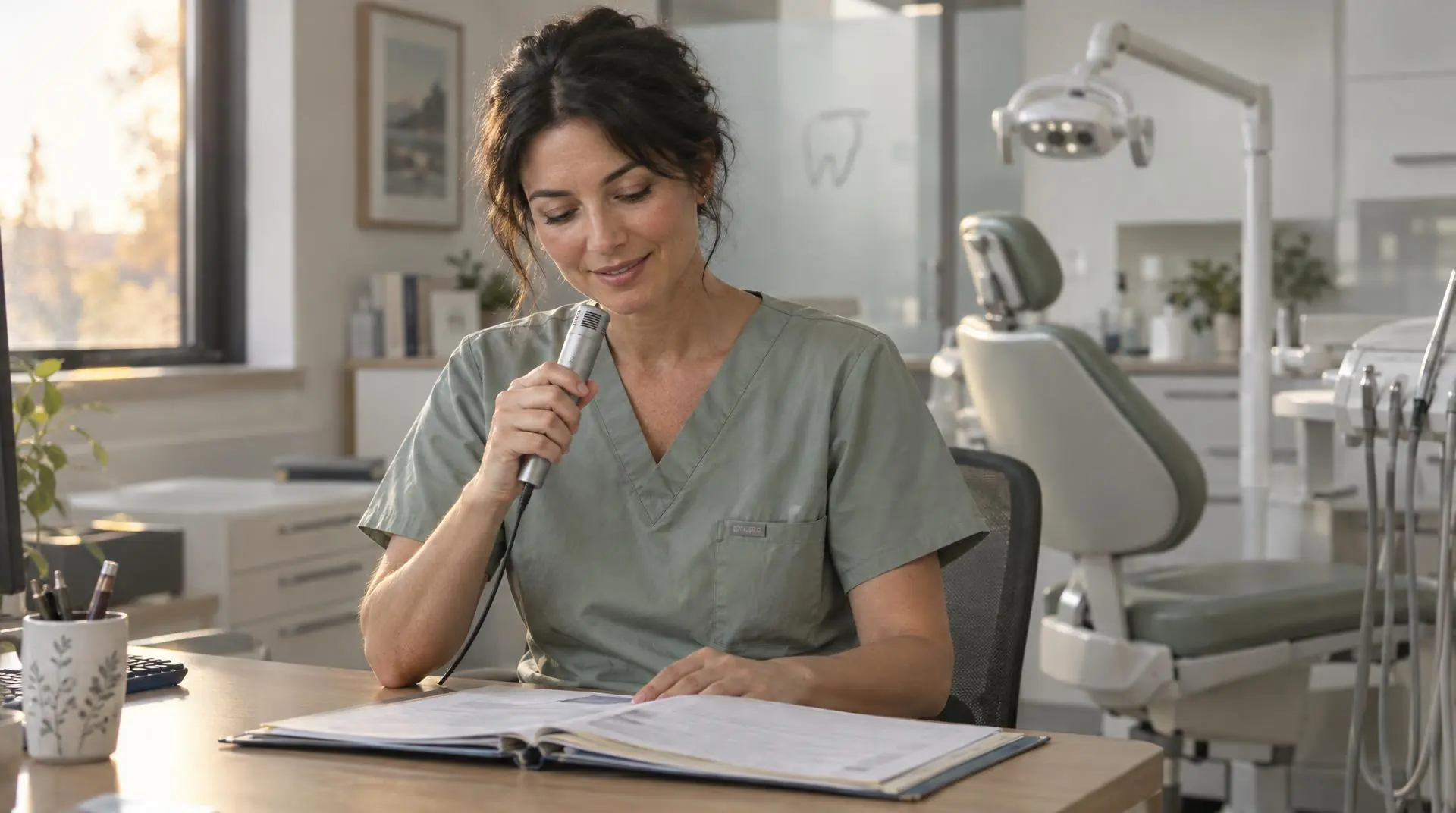
A dentist wearing a white coat is sitting at her desk, dictating voice memos into a microphone while reviewing a medical record in her office.
Published on
Receive all the latest news

All the latest news on the future of dentistry, delivered straight to your inbox.

Thank you! Your submission has been received!
Oops! Something went wrong while submitting the form.

Writing reports and other practice documents often extends dentists’ workdays and also ties up their staff. Medical voice dictation allows these documents to be produced as work progresses, provided you choose a tool that is compatible with your practice’s software and complies with healthcare data protection requirements. This article helps you compare solutions, verify their security, and easily integrate them into your practice, while maintaining control over every document.

A dentist wearing a white coat is sitting at her desk, dictating voice memos into a microphone while reviewing a medical record in her office.

Write your reports in real time, without having to stay late at the office

Voice dictation allows you to complete a large portion of the report during the consultation or in the minutes that follow. This way, you avoid accumulating brief notes that you’ll have to recall from memory at the end of the day.

The concept is simple: you dictate the relevant clinical information as the appointment progresses, and the tool converts it into text. Depending on the solution you choose, this transcript can be entered into the fields of the patient record or organized according to your usual template—for example: reason for the visit, medical history, observations, procedures performed, recommendations, and follow-up.

To ensure this method actually saves you time, follow a consistent process:

  1. Create a template for each type of appointment. A follow-up visit, an emergency, or a preoperative consultation do not require the same sections. Short templates help prevent omissions and minimize the need for corrections.
  2. Use short, clear sentences when dictating. State the section heading, followed by its content: “Medical History,” “Physical Examination,” “Treatment Plan.” This consistent format makes it easier to organize the document.
  3. Complete the chart before moving on to the next patient. Reviewing it immediately usually requires less effort than going back to it several hours later, when the specific context of the visit is less fresh in your mind.
  4. Always review the generated text. Be sure to check, in particular, the names of medications, tooth numbers, dosages, negations, and instructions given to the patient.

In practice, you can dictate certain parts of the report in front of the patient when it doesn’t interfere with the conversation, and then finish the report right after the patient leaves. This approach preserves the quality of the relationship while avoiding having to put off all the documentation until the evening.

The goal is not to eliminate proofreading, but to transform data entry into a quick and thorough validation process. This is the very essence of AI—to lighten the workload for dental teams: it prepares and structures the document, but in no way replaces your professional judgment. You remain responsible for the content added to the patient’s record and decide what needs to be corrected, clarified, or deleted before it is saved.

All that's left is to choose the level of assistance that best suits your needs: a simple transcription of your words or a structured report based on the consultation. Traditional voice dictation and AI transcription don't exactly meet the same needs.

Traditional voice dictation or AI scribe: Which tool is best for which purpose?

Exam reports, letters to colleagues, follow-up summaries: each type of document has its own specific requirements. Let's take a look, in practice, at the specific situations in which each of these two solutions works best.

Traditional voice dictation: word-for-word control over the text

Traditional voice dictation allows you to directly create the text you want to save in the patient's record. You dictate each sentence, along with useful formatting commands such as “new paragraph,” “colon,” or “line break.” The words appear on the screen as you dictate, allowing you to correct them immediately.

This solution is particularly well-suited for documents whose content and structure you already understand: exam reports, letters to colleagues, clinical notes, or postoperative instructions. Unlike a tool that summarizes a conversation, it does not select information for you. The final text remains faithful to your wording, provided that you proofread and approve it.

Two simple habits can then make dictation easier:

  1. Create commands or macros to insert repetitive text, such as closing phrases or standardized recommendations.
  2. Dictate in as quiet an environment as possible, with the microphone positioned correctly.

The quality of the results depends as much on the tool as on how you use it. Vocabulary tailored to dentistry, a reliable microphone, and the ability to add your own commonly used terms, proper nouns, or specialized expressions help minimize corrections. Integration with your practice software is also important: ideally, you should be able to dictate directly into the relevant fields or into a pre-filled template, without having to constantly copy and paste.

Traditional dictation is therefore useful when your priority is to decide on each word while minimizing keyboard typing. It requires a brief learning period for spoken punctuation and still involves a proofreading step, but it fits easily into a precise and well-managed document-creation routine.

The AI Scribe: An Automatically Structured Report

The AI scribe turns your conversation with your patient into a draft report that’s already organized. Unlike traditional dictation, you don’t need to formulate every sentence or specify punctuation. This voice assistant for dental reports listens to the consultation, identifies relevant information, and automatically organizes it into the sections of your report template.

In a dental office, operations can follow three simple steps:

  1. You start the Scribe after informing the patient and obtaining their consent.
  2. Conduct the consultation as usual, clearly specifying the information that must be included in the file.
  3. At the end of the exchange, review the generated document, correct it if necessary, and then approve its inclusion in the patient's medical record.

This approach is particularly well-suited to consultations where the conversation already contains most of the information needed for the future report. It allows you to remain available to the patient while preparing the written record in the background.

However, the resulting text remains a draft—never a document to be automatically added to the file. The scribe may misattribute a statement, omit a nuance, or rephrase information inaccurately. A final review is therefore essential, particularly for sensitive data such as the affected tooth and lateralization.

Health Data Compliance and Security: Requirements to Verify

A medical dictation contains sensitive health information as soon as it can be used to identify a patient, even if the recording is stored only temporarily. Before choosing a tool, therefore, review the entire data lifecycle: voice capture, transcription, document generation, storage, and deletion.

In particular, the GDPR requires that data collection be limited to what is strictly necessary, that access be protected, and that patients be informed about the use of their data. When health data is hosted on behalf of the practice, the hosting provider must hold the HDS certification required byArticle L.1111-8 of the Public Health Code. HDS certification and GDPR compliance are complementary: one does not replace the other.

To evaluate a solution, ask the vendor for written responses to the following questions:

  1. Where are the audio recordings, transcripts, and meeting minutes processed and hosted? Identify each technical service provider and each country involved, including those involved in data backups.
  2. Is the scope properly HDS-certified? Request a valid certificate and its precise scope. Simply stating “hosted in Europe” or “HDS-compliant” is not enough.The French Digital Health Agency details the applicable framework and publishes a list of certified hosting providers.
  3. Is the data used to train an AI model? The contract must clearly specify the permitted uses. Choose a solution that prohibits any reuse of dictations and transcripts for training purposes without explicit consent.
  4. How long is the data retained? Check the retention periods for audio files, transcripts, technical logs, and copies stored on devices. A delete function alone does not guarantee the immediate erasure of all backups.
  5. Who has access to the information? Require access to be tied to specific individuals, robust authentication, the ability to track access, and a clear procedure in the event of an incident. The contract must also specify the subcontractors and the procedures for returning or deleting data at the end of the service.

Finally, record the tool in the practice’s treatment registry, update the information provided to patients, and establish an internal procedure to govern its use. The CNIL offers resources specifically for healthcare professionals to help them conduct this verification. If the solution also claims to be a medical device, request its declaration of conformity and CE marking under the MDR. This marking meets requirements specific to medical devices but does not constitute proof of compliance with the GDPR or HDS certification.

Regulations governing medical AI add an additional layer of requirements for AI-powered transcription and drafting tools: documentation of claimed performance, transparency regarding how the model works, and monitoring of incidents in real-world conditions. Ask the provider about these points, as a simple sales pitch about the tool’s reliability does not constitute a regulatory guarantee.

Once these guarantees have been verified, the selection process can focus on the firm’s specific needs: usability, integration with existing software, cost, and support. The next step is to organize the implementation so that the tool truly makes the team’s day-to-day work easier.

How to Choose a Medical Voice Dictation Tool and Implement It in Your Practice?

It’s best to compare solutions based on concrete criteria: usability, integration with your software, cost, and support. The next step is to transition the tool from the free trial phase to confident, daily use—as a team and in stages.

Features and criteria to compare before making your decision

The best tool is one that remains reliable under the actual conditions of your practice. So don’t settle for a perfectly staged demonstration. Compare each solution using the same scenarios: a fast dictation, a report containing specific dental terms, and a consultation with background noise.

  1. Test the latency and voice separation. Note how long it takes for the text to appear at your usual dictation pace. If several people are speaking at the same time (practitioner, assistant, patient), check to see if the tool can distinguish their voices.
  2. Measure the actual time saved. Time the process of producing three comparable reports—from dictation to the final document—and compare the results with your current method.
  3. Check hardware compatibility and the actual cost of use. Test the tool on the workstations and devices actually used in the office (microphone, tablet, assistant’s workstation) and calculate the total cost beyond the subscription fee: hardware, initial setup, and staff training.

Finally, try testing the system with two or three practitioners who have different work styles. This will help you identify the necessary adjustments before a broader rollout.

From the Free Trial to Deployment: Ensuring Success in Everyday Use

Set simple, measurable goals before you begin the trial. For a few days, track the time you spend writing and proofreading, as well as the number of documents that remain to be completed after consultations. This will give you a concrete point of comparison.

During the trial, test the tool in several common situations, such as writing a consultation report, an email to a colleague, or a note in a patient’s chart. Take note of recurring corrections: they will help you identify which vocabulary, document templates, or voice commands to prioritize for customization.

At the time of deployment, designate a point person to coordinate any issues that arise and provide the team with a brief training session. After two to four weeks, compare your current figures with the baseline data. The improvement should be evident in your day-to-day operations, without adding extra steps or shifting the workload to the administrative staff.

AI assists the practitioner; it does not replace them

AI remains a writing tool: under no circumstances does it replace the clinician, who remains responsible for the clinical content entered into the patient’s record. A text that is fluent and well-presented is not necessarily medically accurate. Follow the detailed proofreading routine described above before each submission, without exception.

To maximize time savings, choose a setting that requires your approval without adding extra screens. Also , correct ambiguous phrasing as soon as it appears: this will simultaneously improve your templates and your dictation habits. This way, you maintain control over every piece of information while saving the time you previously spent typing.

Blog

Related articles

All the latest news on the future of dentistry

Not yet an Allisone user

Request a demo

How Can Medical Voice Dictation Help Reduce Your Administrative Workload?

A dentist wearing a white coat is sitting at her desk, dictating voice memos into a microphone while reviewing a medical record in her office.
Published on

Writing reports and other practice documents often extends dentists’ workdays and also ties up their staff. Medical voice dictation allows these documents to be produced as work progresses, provided you choose a tool that is compatible with your practice’s software and complies with healthcare data protection requirements. This article helps you compare solutions, verify their security, and easily integrate them into your practice, while maintaining control over every document.

A dentist wearing a white coat is sitting at her desk, dictating voice memos into a microphone while reviewing a medical record in her office.

Write your reports in real time, without having to stay late at the office

Voice dictation allows you to complete a large portion of the report during the consultation or in the minutes that follow. This way, you avoid accumulating brief notes that you’ll have to recall from memory at the end of the day.

The concept is simple: you dictate the relevant clinical information as the appointment progresses, and the tool converts it into text. Depending on the solution you choose, this transcript can be entered into the fields of the patient record or organized according to your usual template—for example: reason for the visit, medical history, observations, procedures performed, recommendations, and follow-up.

To ensure this method actually saves you time, follow a consistent process:

  1. Create a template for each type of appointment. A follow-up visit, an emergency, or a preoperative consultation do not require the same sections. Short templates help prevent omissions and minimize the need for corrections.
  2. Use short, clear sentences when dictating. State the section heading, followed by its content: “Medical History,” “Physical Examination,” “Treatment Plan.” This consistent format makes it easier to organize the document.
  3. Complete the chart before moving on to the next patient. Reviewing it immediately usually requires less effort than going back to it several hours later, when the specific context of the visit is less fresh in your mind.
  4. Always review the generated text. Be sure to check, in particular, the names of medications, tooth numbers, dosages, negations, and instructions given to the patient.

In practice, you can dictate certain parts of the report in front of the patient when it doesn’t interfere with the conversation, and then finish the report right after the patient leaves. This approach preserves the quality of the relationship while avoiding having to put off all the documentation until the evening.

The goal is not to eliminate proofreading, but to transform data entry into a quick and thorough validation process. This is the very essence of AI—to lighten the workload for dental teams: it prepares and structures the document, but in no way replaces your professional judgment. You remain responsible for the content added to the patient’s record and decide what needs to be corrected, clarified, or deleted before it is saved.

All that's left is to choose the level of assistance that best suits your needs: a simple transcription of your words or a structured report based on the consultation. Traditional voice dictation and AI transcription don't exactly meet the same needs.

Traditional voice dictation or AI scribe: Which tool is best for which purpose?

Exam reports, letters to colleagues, follow-up summaries: each type of document has its own specific requirements. Let's take a look, in practice, at the specific situations in which each of these two solutions works best.

Traditional voice dictation: word-for-word control over the text

Traditional voice dictation allows you to directly create the text you want to save in the patient's record. You dictate each sentence, along with useful formatting commands such as “new paragraph,” “colon,” or “line break.” The words appear on the screen as you dictate, allowing you to correct them immediately.

This solution is particularly well-suited for documents whose content and structure you already understand: exam reports, letters to colleagues, clinical notes, or postoperative instructions. Unlike a tool that summarizes a conversation, it does not select information for you. The final text remains faithful to your wording, provided that you proofread and approve it.

Two simple habits can then make dictation easier:

  1. Create commands or macros to insert repetitive text, such as closing phrases or standardized recommendations.
  2. Dictate in as quiet an environment as possible, with the microphone positioned correctly.

The quality of the results depends as much on the tool as on how you use it. Vocabulary tailored to dentistry, a reliable microphone, and the ability to add your own commonly used terms, proper nouns, or specialized expressions help minimize corrections. Integration with your practice software is also important: ideally, you should be able to dictate directly into the relevant fields or into a pre-filled template, without having to constantly copy and paste.

Traditional dictation is therefore useful when your priority is to decide on each word while minimizing keyboard typing. It requires a brief learning period for spoken punctuation and still involves a proofreading step, but it fits easily into a precise and well-managed document-creation routine.

The AI Scribe: An Automatically Structured Report

The AI scribe turns your conversation with your patient into a draft report that’s already organized. Unlike traditional dictation, you don’t need to formulate every sentence or specify punctuation. This voice assistant for dental reports listens to the consultation, identifies relevant information, and automatically organizes it into the sections of your report template.

In a dental office, operations can follow three simple steps:

  1. You start the Scribe after informing the patient and obtaining their consent.
  2. Conduct the consultation as usual, clearly specifying the information that must be included in the file.
  3. At the end of the exchange, review the generated document, correct it if necessary, and then approve its inclusion in the patient's medical record.

This approach is particularly well-suited to consultations where the conversation already contains most of the information needed for the future report. It allows you to remain available to the patient while preparing the written record in the background.

However, the resulting text remains a draft—never a document to be automatically added to the file. The scribe may misattribute a statement, omit a nuance, or rephrase information inaccurately. A final review is therefore essential, particularly for sensitive data such as the affected tooth and lateralization.

Health Data Compliance and Security: Requirements to Verify

A medical dictation contains sensitive health information as soon as it can be used to identify a patient, even if the recording is stored only temporarily. Before choosing a tool, therefore, review the entire data lifecycle: voice capture, transcription, document generation, storage, and deletion.

In particular, the GDPR requires that data collection be limited to what is strictly necessary, that access be protected, and that patients be informed about the use of their data. When health data is hosted on behalf of the practice, the hosting provider must hold the HDS certification required byArticle L.1111-8 of the Public Health Code. HDS certification and GDPR compliance are complementary: one does not replace the other.

To evaluate a solution, ask the vendor for written responses to the following questions:

  1. Where are the audio recordings, transcripts, and meeting minutes processed and hosted? Identify each technical service provider and each country involved, including those involved in data backups.
  2. Is the scope properly HDS-certified? Request a valid certificate and its precise scope. Simply stating “hosted in Europe” or “HDS-compliant” is not enough.The French Digital Health Agency details the applicable framework and publishes a list of certified hosting providers.
  3. Is the data used to train an AI model? The contract must clearly specify the permitted uses. Choose a solution that prohibits any reuse of dictations and transcripts for training purposes without explicit consent.
  4. How long is the data retained? Check the retention periods for audio files, transcripts, technical logs, and copies stored on devices. A delete function alone does not guarantee the immediate erasure of all backups.
  5. Who has access to the information? Require access to be tied to specific individuals, robust authentication, the ability to track access, and a clear procedure in the event of an incident. The contract must also specify the subcontractors and the procedures for returning or deleting data at the end of the service.

Finally, record the tool in the practice’s treatment registry, update the information provided to patients, and establish an internal procedure to govern its use. The CNIL offers resources specifically for healthcare professionals to help them conduct this verification. If the solution also claims to be a medical device, request its declaration of conformity and CE marking under the MDR. This marking meets requirements specific to medical devices but does not constitute proof of compliance with the GDPR or HDS certification.

Regulations governing medical AI add an additional layer of requirements for AI-powered transcription and drafting tools: documentation of claimed performance, transparency regarding how the model works, and monitoring of incidents in real-world conditions. Ask the provider about these points, as a simple sales pitch about the tool’s reliability does not constitute a regulatory guarantee.

Once these guarantees have been verified, the selection process can focus on the firm’s specific needs: usability, integration with existing software, cost, and support. The next step is to organize the implementation so that the tool truly makes the team’s day-to-day work easier.

How to Choose a Medical Voice Dictation Tool and Implement It in Your Practice?

It’s best to compare solutions based on concrete criteria: usability, integration with your software, cost, and support. The next step is to transition the tool from the free trial phase to confident, daily use—as a team and in stages.

Features and criteria to compare before making your decision

The best tool is one that remains reliable under the actual conditions of your practice. So don’t settle for a perfectly staged demonstration. Compare each solution using the same scenarios: a fast dictation, a report containing specific dental terms, and a consultation with background noise.

  1. Test the latency and voice separation. Note how long it takes for the text to appear at your usual dictation pace. If several people are speaking at the same time (practitioner, assistant, patient), check to see if the tool can distinguish their voices.
  2. Measure the actual time saved. Time the process of producing three comparable reports—from dictation to the final document—and compare the results with your current method.
  3. Check hardware compatibility and the actual cost of use. Test the tool on the workstations and devices actually used in the office (microphone, tablet, assistant’s workstation) and calculate the total cost beyond the subscription fee: hardware, initial setup, and staff training.

Finally, try testing the system with two or three practitioners who have different work styles. This will help you identify the necessary adjustments before a broader rollout.

From the Free Trial to Deployment: Ensuring Success in Everyday Use

Set simple, measurable goals before you begin the trial. For a few days, track the time you spend writing and proofreading, as well as the number of documents that remain to be completed after consultations. This will give you a concrete point of comparison.

During the trial, test the tool in several common situations, such as writing a consultation report, an email to a colleague, or a note in a patient’s chart. Take note of recurring corrections: they will help you identify which vocabulary, document templates, or voice commands to prioritize for customization.

At the time of deployment, designate a point person to coordinate any issues that arise and provide the team with a brief training session. After two to four weeks, compare your current figures with the baseline data. The improvement should be evident in your day-to-day operations, without adding extra steps or shifting the workload to the administrative staff.

AI assists the practitioner; it does not replace them

AI remains a writing tool: under no circumstances does it replace the clinician, who remains responsible for the clinical content entered into the patient’s record. A text that is fluent and well-presented is not necessarily medically accurate. Follow the detailed proofreading routine described above before each submission, without exception.

To maximize time savings, choose a setting that requires your approval without adding extra screens. Also , correct ambiguous phrasing as soon as it appears: this will simultaneously improve your templates and your dictation habits. This way, you maintain control over every piece of information while saving the time you previously spent typing.

Get the latest updates from Allisone your inbox.

Get the latest updates from Allisone your inbox.

Our best news, once a month.
Guaranteed spam-free and full of good advice!

Allisoneas the data controller, processes the personal data collected in this form in order to process your request. For more information, please consult our privacy policy
Thank you! Your submission has been received!
Oops! Something went wrong while submitting the form.

Not yet an Allisone user

Find out what Allisone can do for you

DISCOVER ALLISONE